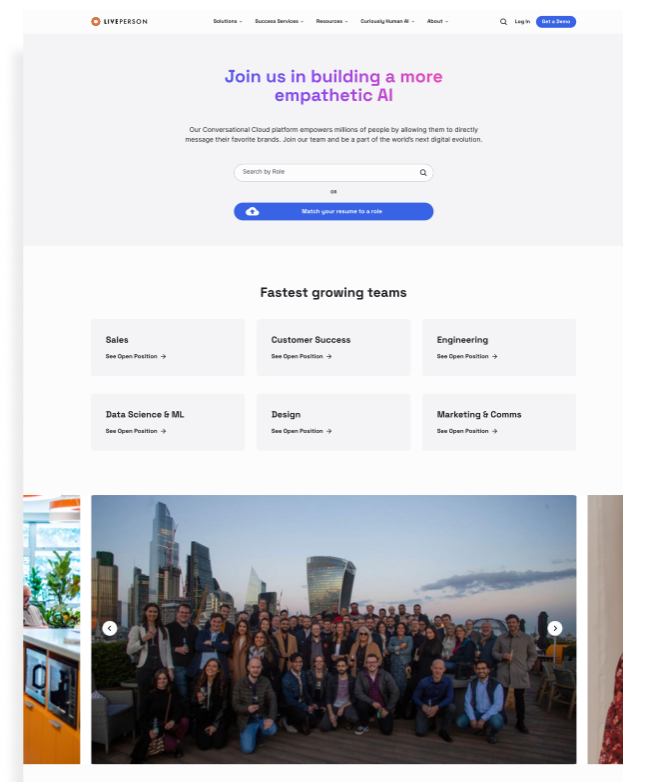
Resume-based AI matching + analytics dashboard that reduced candidate screening time by 71% and drove 97% recruiter advancement of AI-matched candidates.
I was the sole designer on this project, owning all product design from strategy through delivery. I worked directly with PM and Engineering to define features, work through implementation constraints, manage hand-off, and run final validation.
On the research side, I interviewed hiring managers and recruiters across teams and shadowed their screening workflows to understand where time was actually being lost.
Hiring is slow, and slow is expensive. Candidates spend hours searching job boards for roles that might not fit. Recruiters spend days manually screening hundreds of applications. With a 26% startup churn rate, LivePerson couldn't afford any of that.
The core problem: how do we save time for both candidates and the company?
The insight that changed the strategy: AI matching only works if candidates trust the recommendations. And they won't trust recommendations unless they understand why those roles match their background. This meant we couldn't just build "submit resume, get matches." We needed to design for transparency and control. Get this right internally, and it becomes a sellable product.
Every major job site (LinkedIn, Indeed, Glassdoor) puts search first and profile-building second. Users are trained to search for jobs, not upload resumes and wait for recommendations.
My position: If AI matching is our value proposition, we need to prove it works before letting users fall back to manual search.
PM: "Users expect to search immediately. If we gate-keep search behind resume upload, we'll lose them."
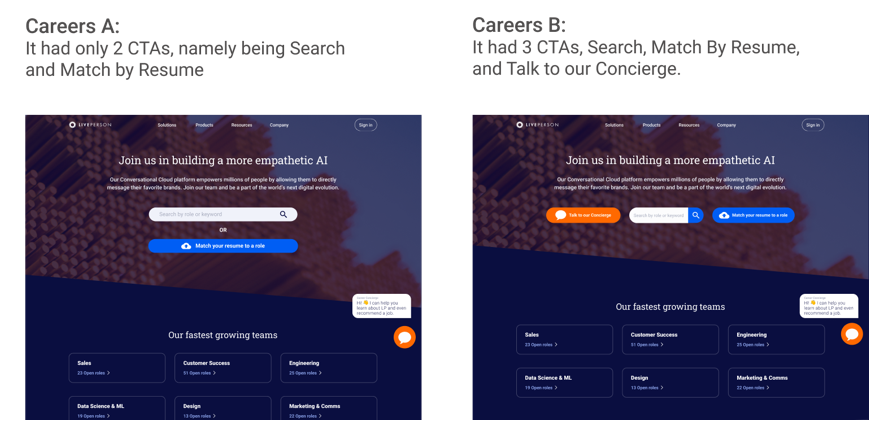
My counter: We ran A/B tests. Version A (2 CTAs: Search + Match Resume) had better engagement on search but worse conversion to apply. Version B (3 CTAs: Search + Match Resume + Talk to Concierge) had the best overall conversion because it gave users multiple entry points based on intent.
The data that convinced leadership: Users who uploaded resumes first applied at 18% conversion. Users who searched first applied at 7% conversion. AI recommendations worked, but only if users engaged with them before forming search habits.
Recruiters worked in two modes: triaging across all open roles, and evaluating candidates within a single role. I structured the dashboard around that split: an overview for pipeline health, and a job-level view for individual decisions.
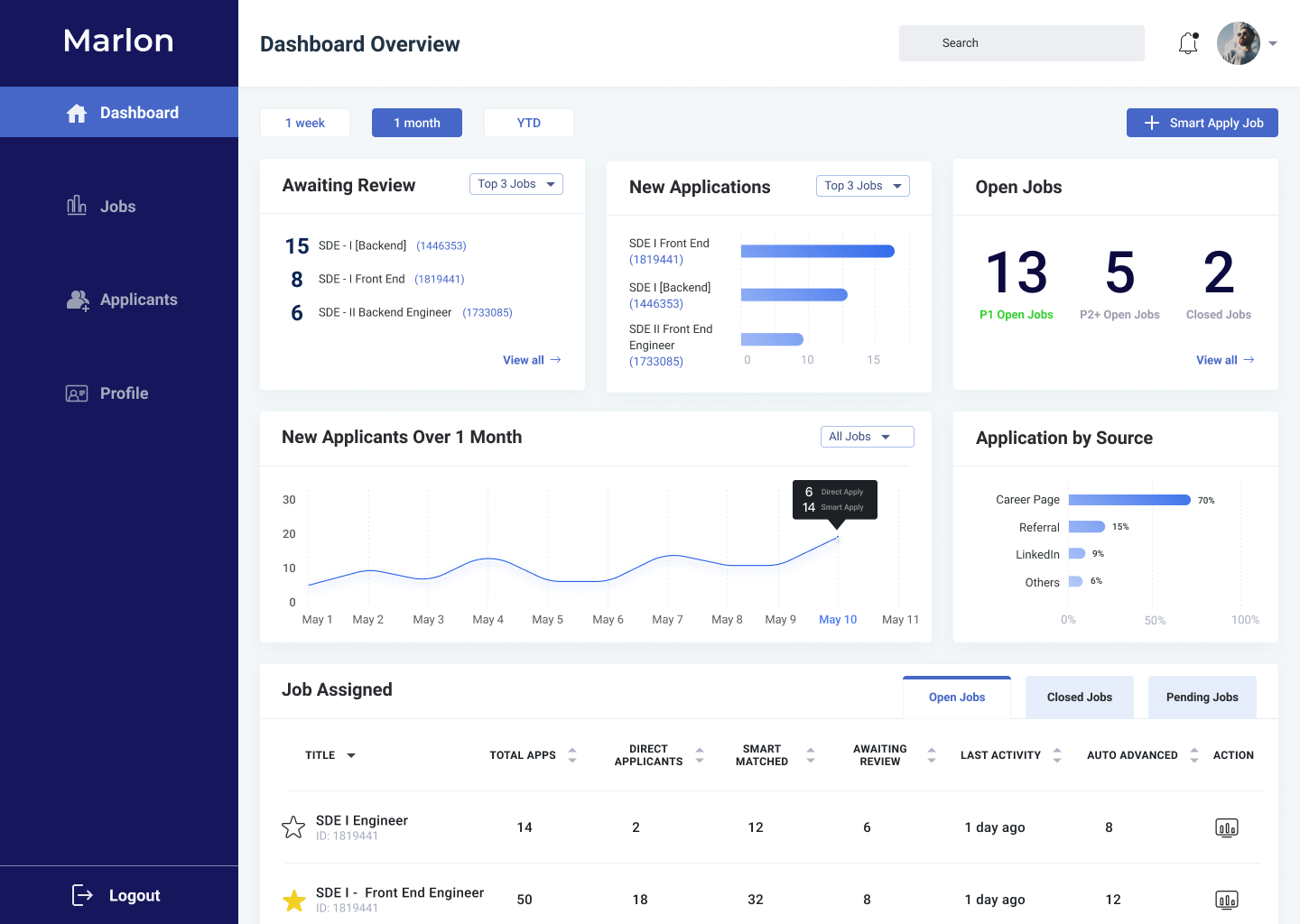
Urgency-first layout: "Awaiting Review" sits top-left because reducing response lag was the #1 recruiter pain point
Smart Apply vs Direct: Trend chart separates AI-matched from organic applicants, so leads can see how well AI matching is performing
Source attribution: Channel breakdown (Career Page 70%, Referral 15%, LinkedIn 9%) helps recruiting ops optimize spend
"Last Activity" sort: Flags stale candidates in the job table. Directly tied to the 71% faster-action metric
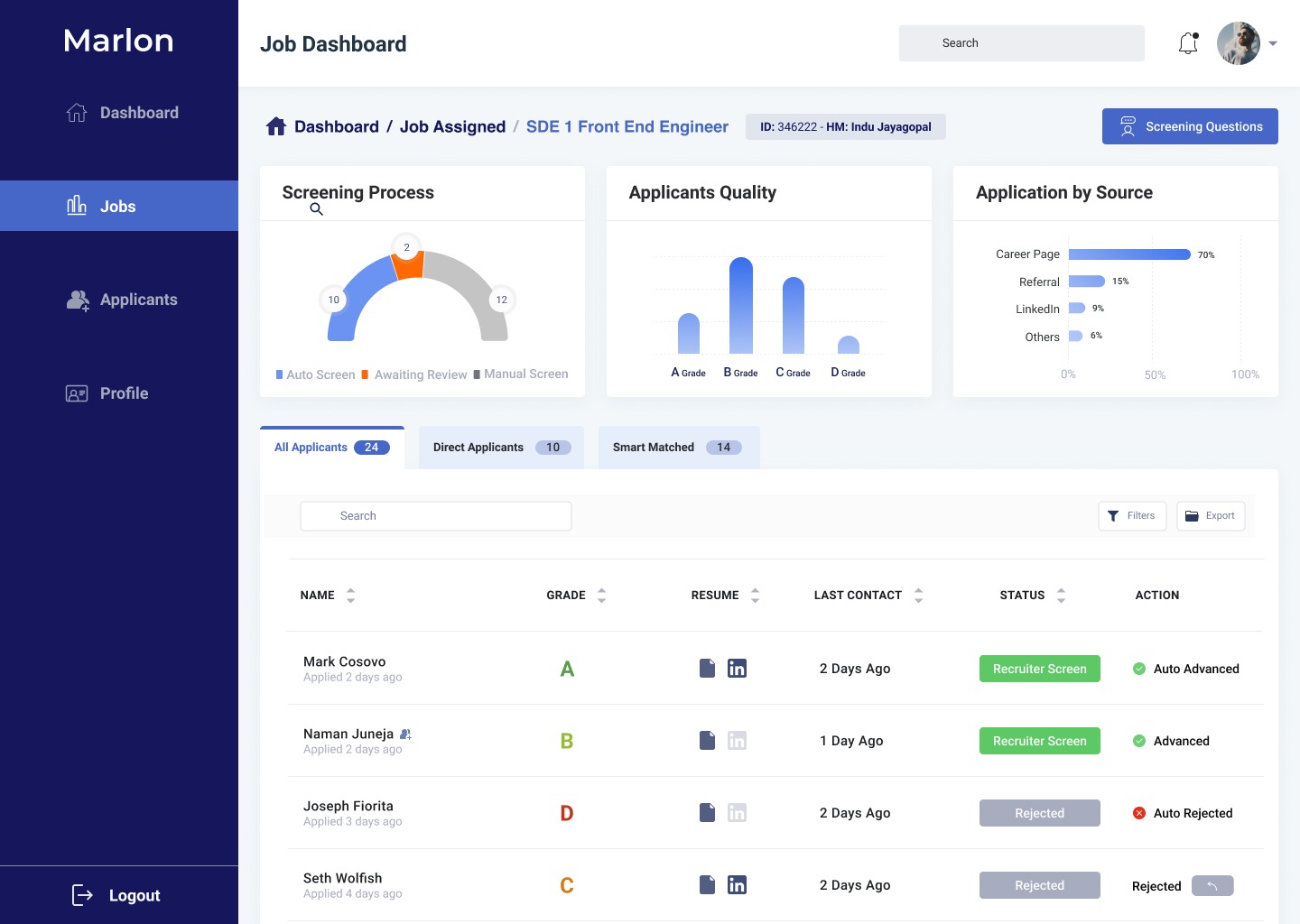
Screening funnel: Gauge shows pipeline health at a glance: auto-screened vs awaiting review vs manual
Grade distribution: A/B/C/D quality bars let managers instantly read talent pool shape per role
Smart Matched tab: One-click filter to isolate AI candidates from direct applicants. This was the main thing recruiters asked for
Auto-advance logic: When AI confidence exceeds a threshold, candidates advance automatically. This cut manual screening time by 71%